1. 개요
언리얼 엔진에는 주얼 스크립팅 시스템인 블루프린트가 있다. C++을 모르더라도 게임 디자인을 할 수 있도록 만들어진 시스템이다. 프로그래머는 게임을 만들 때 블루프린트 위주로 만들진 않지만, 타 직군과의 협업을 위해서는 이 블루프린트를 알 필요가 있다.
2. 블루프린트용 프로젝트 생성
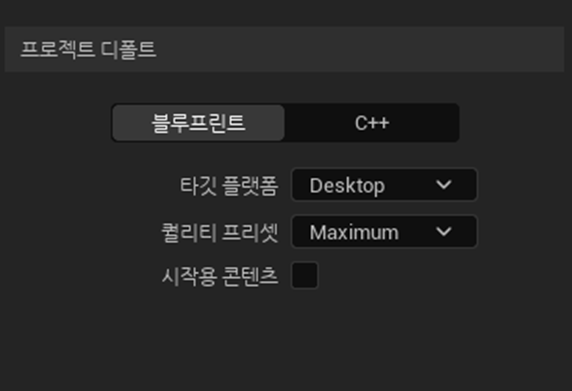
C++용 프로젝트에서도 블루프린트는 사용할 수 있다. 하지만 블루프린트용으로 생성하면 C++을 위한 기능이 빠지므로 가벼워진다.
3. 레벨 블루프린트
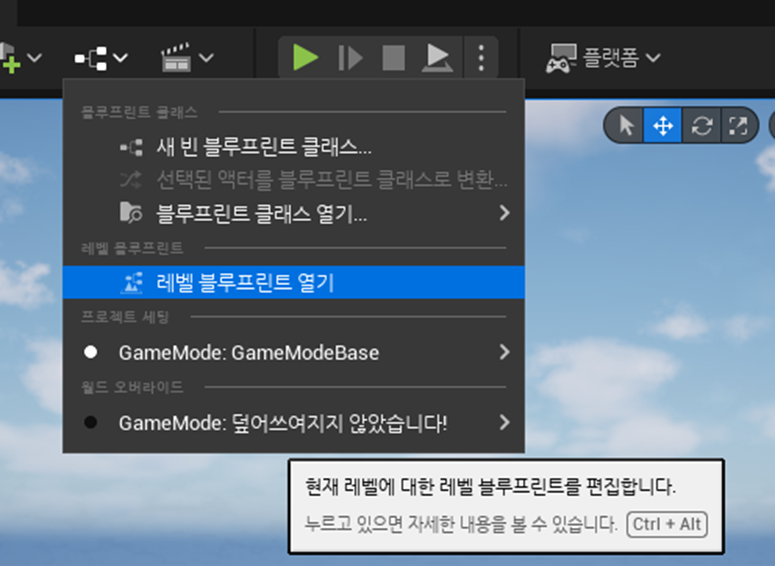
블루프린트 액터를 만들고 그 액터를 맵에 넣어도 되지만, 그 보다는 바로 적용할 수 있게 레벨 블루프린트에서 작업을 한다.
4. 코드 구조와 블루프린트 구조는 거의 같다
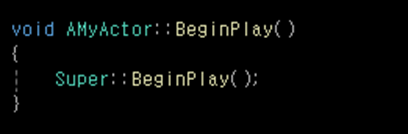

코드를 생성하면 BeginPlay, Tick 등의 함수가 있듯 블루프린트에서도 BeginPlay, Tick 등의 이벤트가 있다. (여기서는 처음에 있던 함수(이벤트) 중 BeginPlay만 필요할 테니 나머지는 지웠다.)
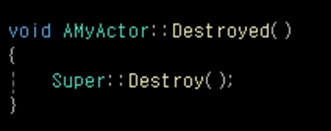

코드 내용에 따라 다른 함수를 추가하듯 블루프린트도 필요하면 다른 이벤트를 추가할 수 있다.
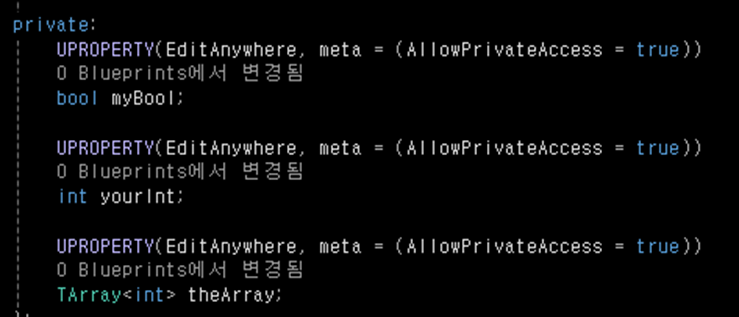
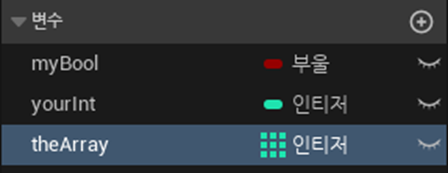
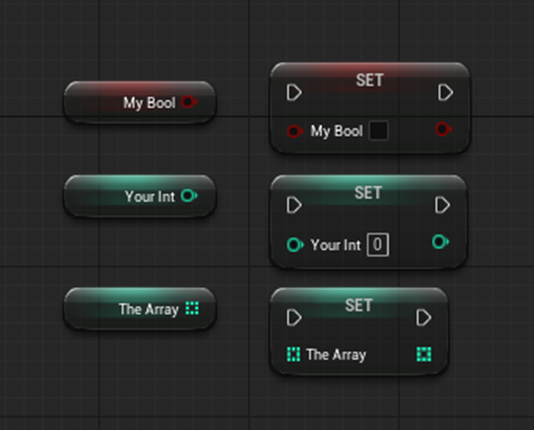
클래스내 전역변수도 있다. 블루프린트 내에서 사용할 변수를 만들면 그 변수를 Get이나 Set으로 접근할 수 있다.

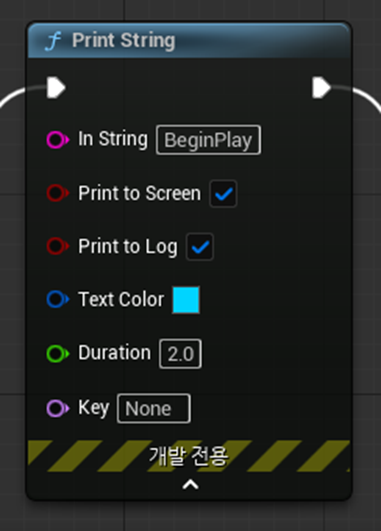
블루프린트는 C++을 모르는 사람을 위해 최대한 편의성을 챙긴 모양이다. 예를 들면 에디터 화면에 텍스트를 띄워주는 PrintString 함수의 경우, C++에서는 헤더를 따로 추가해주고 여러가지 매개변수를 직접 넣어줘야 하는데 블루프린트는 클릭 몇 번으로 추가할 수 있고 필요한 내용은 기본값으로 미리 채워줘서 편한점이 있었다.

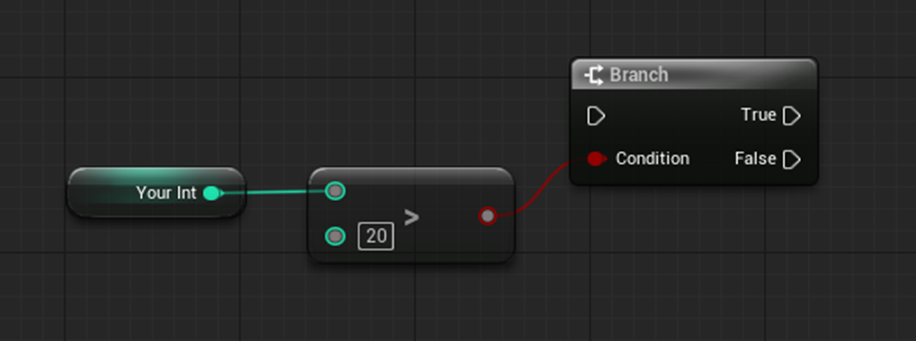
if문에는 구조상 차이가 있었다. C++코드에서는 if의 조건이 참이면 if의 내용을, 거짓이면 바로 뒤의 else의 내용을 실행한다.
블루프린트에서는 if 대신 Branch라는 것이 있다. 이 ‘분기점’을 가르는 조건이 존재하고 이 조건에 맞으면 true를, 아니면 false를 실행하는 방식이다.
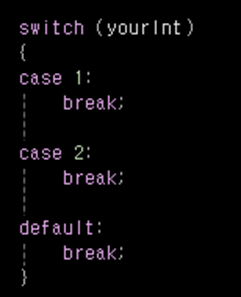
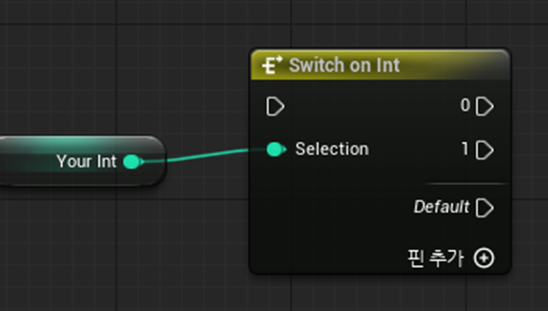
switch는 다소 비슷하다. 다만 C++에서는 검사할 대상이 무엇이든 switch 하나만 있으면 되는데 블루프린트는 검사 대상의 타입에 따라 다른 switch가 필요하다. Int변수에 대해서는 Switch on Int가 필요한 것처럼 말이다.
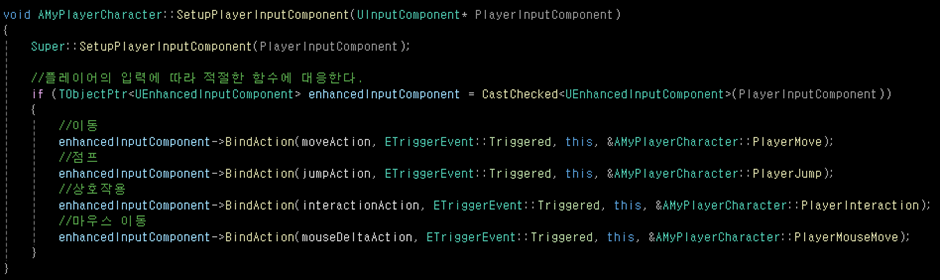

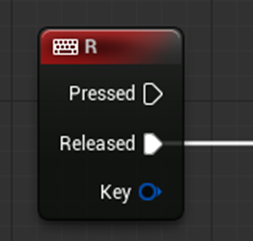
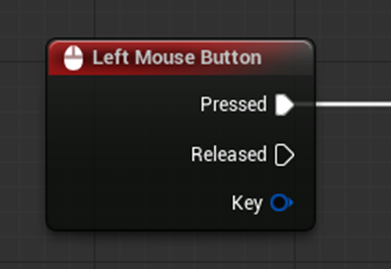
플레이어의 입력에서는 생각보다 큰 차이가 있다. C++에서는 (UE5 기준으로) 플레이어 컨트롤러와 폰에서 각각 작업해줄 내용이 다소 많은데 비해 블루프린트는 다른 함수를 추가하듯 입력 이벤트만 추가해주면 손쉽게 구현할 수 있다. 코드를 모르는 사람을 위해 신경을 많이 쓴 느낌이 확실하게 든다.
5. 한 번 본격적으로 블루프린트를 디자인해볼까?
슈팅 게임을 만든다고 생각하고, 다음과 같은 코드를 만들었다.
void AMyActor::BeginPlay()
{
	Super::BeginPlay();

	UKismetSystemLibrary::PrintString(GetWorld(), TEXT("BeginPlay"), true, true, FLinearColor(0, 0.66f, 1.0f), 2.0f);
	currentAmmo = maxAmmo;
}

//재장전
void AMyActor::Reload()
{
	int weaponIndex = static_cast<int>(currentWeaponInfo);
	if (currentAmmo[weaponIndex] < maxAmmo[weaponIndex])//재장전 진행
	{
		currentAmmo[weaponIndex] = maxAmmo[weaponIndex];
		UKismetSystemLibrary::PrintString(GetWorld(), TEXT("재장전 완료"), true, true, FLinearColor(0, 0.66f, 1.0f), 2.0f);
	}
	else//이미 꽉 찼는데
	{
		UKismetSystemLibrary::PrintString(GetWorld(), TEXT("이미 재장전 했음"), true, true, FLinearColor(0, 0.66f, 1.0f), 2.0f);
	}
}

//쿨다운
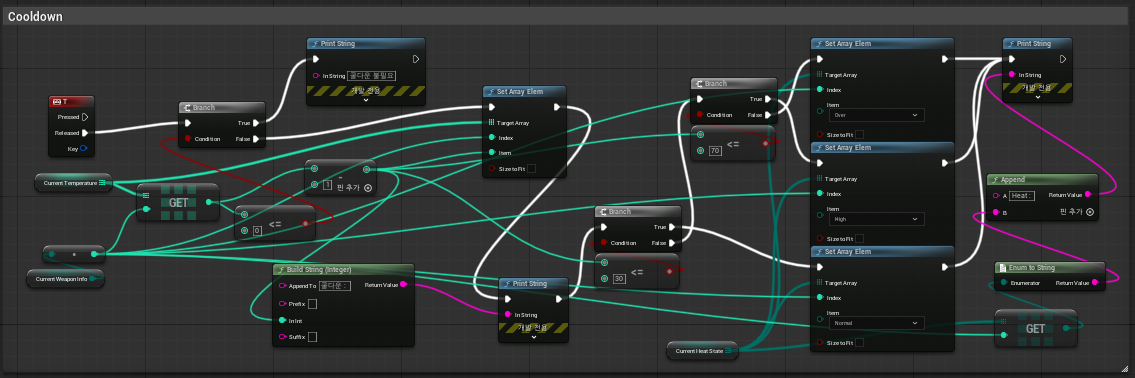
void AMyActor::Cooldown()
{
	int weaponIndex = static_cast<int>(currentWeaponInfo);
	if (currentTemperature[weaponIndex] <= 0)//온도가 0이면 불필요하다
	{
		UKismetSystemLibrary::PrintString(GetWorld(), TEXT("쿨다운 불필요"), true, true, FLinearColor(0, 0.66f, 1.0f), 2.0f);
		return;
	}

	//쿨다운을 누를 때마다 1씩 감소
	currentTemperature[weaponIndex]--;
	FString result1 = TEXT("쿨다운 : %d") + FString::FromInt(currentTemperature[weaponIndex]);
	UKismetSystemLibrary::PrintString(GetWorld(), result1, true, true, FLinearColor(0, 0.66f, 1.0f), 2.0f);

	//감소한 수치에 따라 현재 총의 currentHeatState를 변경
	if (currentTemperature[weaponIndex] <= 30)
	{
		currentHeatState[weaponIndex] = HeatState::Normal;
	}
	else if (currentTemperature[weaponIndex] <= 70)
	{
		currentHeatState[weaponIndex] = HeatState::High;
	}
	else
	{
		currentHeatState[weaponIndex] = HeatState::Over;
	}

	FString enumString = UEnum::GetValueAsString<HeatState>(currentHeatState[weaponIndex]);
	FString result2 = "Heat : " + enumString;
}

//무기 교체
void AMyActor::ChangeWeapon(WeaponInfo info)
{
	currentWeaponInfo = info;
}

//발사
void AMyActor::Fire()
{
	int weaponIndex = static_cast<int>(currentWeaponInfo);
	if (currentAmmo[weaponIndex] <= 0)//총알이 없는데요
	{
		UKismetSystemLibrary::PrintString(GetWorld(), TEXT("뭐"), true, true, FLinearColor::Red, 2.0f);
		return;
	}

	//발사할 때마다 총할 1개 소모
	UKismetSystemLibrary::PrintString(GetWorld(), TEXT("탕"), true, true, FLinearColor::Green, 2.0f);
	currentAmmo[weaponIndex]--;
	UKismetSystemLibrary::PrintString(GetWorld(), FString::FromInt(currentAmmo[weaponIndex]), true, true, FLinearColor(0, 0.66f, 1.0f), 2.0f);

	//발사할 때마다 온도 증가, 증가한 온도에 따라 currentHeatState값 변경
	currentTemperature[weaponIndex]++;
	if (currentTemperature[weaponIndex] <= 30)
	{
		currentHeatState[weaponIndex] = HeatState::Normal;
	}
	else if (currentTemperature[weaponIndex] <= 70)
	{
		currentHeatState[weaponIndex] = HeatState::High;
	}
	else
	{
		currentHeatState[weaponIndex] = HeatState::Over;
	}

	FString enumString = UEnum::GetValueAsString<HeatState>(currentHeatState[weaponIndex]);
	FString result = TEXT("Heat : ") + enumString + TEXT(", Temperature : ") + FString::FromInt(currentTemperature[weaponIndex]);

	UKismetSystemLibrary::PrintString(GetWorld(), result, true, true, FLinearColor::Yellow, 2.0f);
}
그리고 이 내용을 블루프린트로 디자인 해봤는데… 아무래도 나에게 블루프린트 디자인은 영 아닌것같다.



'언리얼엔진 학습 및 과제' 카테고리의 다른 글
| 언리얼 엔진에서 빌드가 안될때 (0) | 2025.09.23 |
|---|---|
| [내일배움캠프] 상호작용 추가하기 (3) | 2025.08.08 |
| [내일배움캠프] 간단한 점프맵 (2) | 2025.08.07 |
| [내일배움캠프] Unreal Learning Kit의 맵에서 새로 알게된 액터들 (1) | 2025.08.05 |
| [내일배움캠프] 언리얼 5.5버전 설치, Unreal Learning Kit (2) | 2025.08.04 |